How To Install A WordPress Theme – 4 Methods For All Needs

Struggling with how to install a WordPress theme? Themes are the building block of every single WordPress site, so if you can’t install your WordPress theme of choice, you’re gonna end up stuck on the runway! Don’t worry, though. Over the years, WordPress has evolved to the point where it’s actually pretty dang simple to ... Read more

The post How To Install A WordPress Theme – 4 Methods For All Needs appeared first on Learn WordPress with WPLift.

Complete Guide to Building a Successful WooCommerce Wholesale Store

WooCommerce is an industry-leading e-commerce solution, powering over 42% market of all online stores. The platform is loved for its versatility, and flexibility, and used by online stores of literally all shapes and sizes. WooCommerce’s flexibility makes it a great choice for building a successful wholesale store online, and for buying and selling to the ... Read more Complete Guide to Building a Successful WooCommerce Wholesale Store

The post Complete Guide to Building a Successful WooCommerce Wholesale Store appeared first on Learn WordPress with WPLift.

How to Style WordPress Navigation Menus

Do you want to style your WordPress navigation menus to change their colors or appearance? While your WordPress theme handles the appearance of your navigation menus, you can easily customize it using CSS to meet your requirements. In this article, we will show you how to style the WordPress navigation menus on your site.

Styling navigation menus in WordPress

We will be showing two different methods. The first method is for beginners because it uses a plugin and does not require any code knowledge. The second method is for intermediate DIY users who prefer to use CSS code instead of a plugin.

Method 1: Styling WordPress Navigation Menus Using a Plugin

Your WordPress theme uses CSS to style navigation menus. Many beginners are not comfortable with editing theme files or writing CSS code on their own.

That’s when a WordPress styling plugin comes in handy. It saves you from editing theme files or writing any code.

First you need to do is install and activate the CSS Hero plugin. For more details, see our step by step guide on how to install a WordPress plugin.

CSS Hero is a premium WordPress plugin that allows you to design your own WordPress theme without writing a single line of code (No HTML or CSS required). See our CSS Hero review to learn more.

WPBeginner users can use use this CSS Hero Coupon to get 34% discount on their purchase.

Upon activation, you will be redirected to obtain your CSS Hero License key. Simply follow the on-screen instructions, and you will be redirected back to your site in a few clicks.

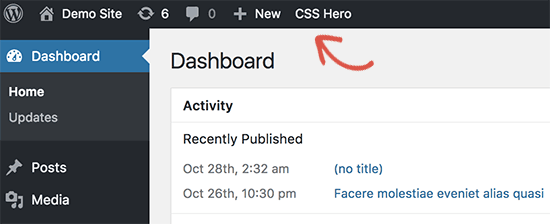
Next, you need to click on the CSS Hero button in your WordPress admin toolbar.

Launch CSS Hero

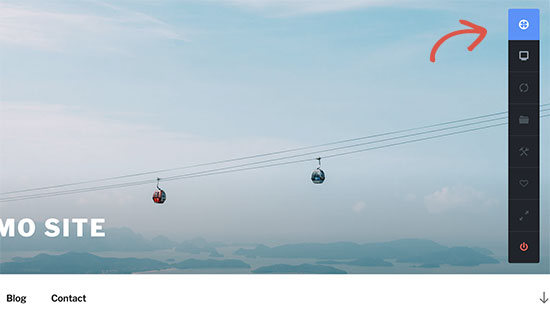
CSS Hero offers a WYSIWYG (What you see is what you get) editor. Clicking on the button will take you to your website with a floating CSS Hero toolbar visible on screen.

CSS Hero Toolbar

You need to click on the blue icon at the top to start editing.

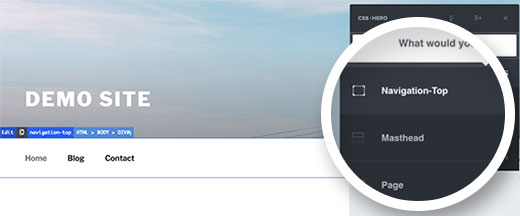
After you click the blue icon, take your mouse to your navigation menu, and CSS Hero will highlight it by showing the borders around it. When you click on the highlighted navigation menu, it will show you the items that you can edit.

Point and click to customize menu

In the screenshot above, it shows us top navigation menu container. Let’s assume we want to change the background color of our navigation menu. In that case, we will select top navigation which affects our entire menu.

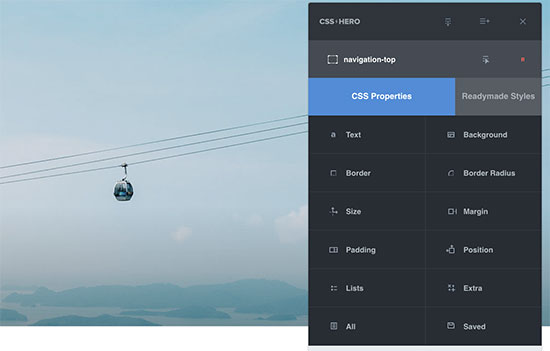
CSS Hero will now show you different properties that you can edit like text, background, border, margins, padding, etc.

CSS properties

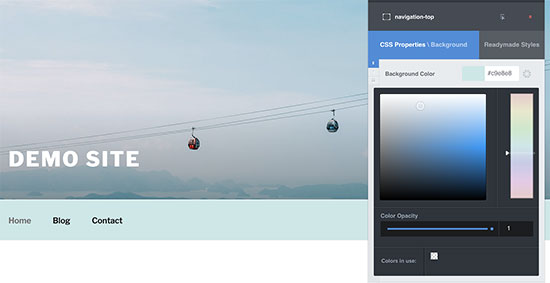
You can click any property that you want to change. CSS Hero will show you a simple interface where you can make your changes.

Change appearance of an element

In the screenshot above, we selected background, and it showed us a nice interface to select background color, gradient, image, and more.

As you make changes, you will be able to see them live in the theme preview.

Live preview of your CSS changes

Once you are satisfied with the changes, click on the save button in CSS Hero toolbar to save your changes.

The best thing about using this method is that you can easily undo any changes that you make. CSS Hero keeps a complete history of all your changes, and you can go back and forth between those changes.

Method 2: Manually Style WordPress Navigation Menus

This method requires you to manually add custom CSS and is meant for intermediate users.

WordPress navigation menus are displayed in an unordered list (bulleted list).

Typically if you use the default WordPress menu tag, then it will display a list with no CSS classes associated with it.

<?php wp_nav_menu(); ?>

Your unordered list would have the class name ‘menu’ with each list item having its own CSS class.

This might work if you only have one menu location. However, most themes have multiple locations where you can display navigation menus.

Using only the default CSS class may cause conflict with menus on other locations.

This is why you need to define CSS class and menu location as well. Chances are that your WordPress theme is already doing that by adding the navigation menus using a code like this:

<?php
    wp_nav_menu( array(
        'theme_location' => 'primary',
        'menu_class'     => 'primary-menu',
         ) );
?>

This code tells WordPress that this is where the theme displays primary menu. It also adds a CSS class primary-menu to the navigation menu.

Now you can style your navigation menu using this CSS structure.

// container class
#header .primary-menu{} 

// container class first unordered list
#header .primary-menu ul {} 

//unordered list within an unordered list
#header .primary-menu ul ul {} 

 // each navigation item
#header .primary-menu li {}

// each navigation item anchor
#header .primary-menu li a {} 

// unordered list if there is drop down items
#header .primary-menu li ul {} 

// each drop down navigation item
#header .primary-menu li li {} 

// each drap down navigation item anchor
#header .primary-menu li li a {} 

You will need to replace #header with the container CSS class used by your navigation menu.

This structure will help you completely change the appearance of your navigation menu.

However, there are other WordPress generated CSS classes automatically added to each menu and menu item. These classes allow you to customize your navigation menu even further.

// Class for Current Page
.current_page_item{} 

// Class for Current Category
.current-cat{} 

// Class for any other current Menu Item
.current-menu-item{} 

// Class for a Category
.menu-item-type-taxonomy{}
 
// Class for Post types
.menu-item-type-post_type{} 

// Class for any custom links
.menu-item-type-custom{} 

// Class for the home Link
.menu-item-home{} 

WordPress also allows you to add your own custom CSS classes to individual menu items.

You can use this feature to style menu items, like adding image icons with your menus or by just changing colors to highlight a menu item.

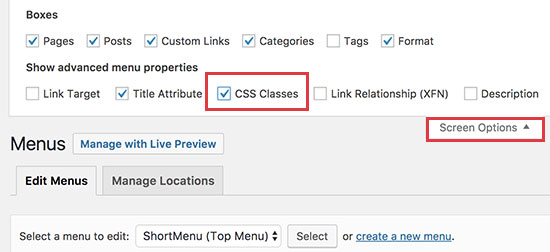
Head over to Appearance » Menus page in your WordPress admin and click on the Screen Options button.

Enable CSS classes option for individual menu items

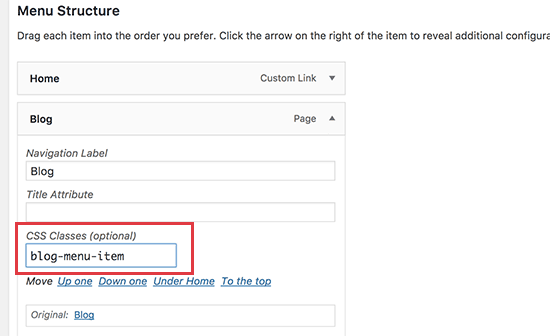
Once you have checked that box, you will see that an additional field is added when you go to edit each individual menu item.

Adding a custom CSS class to a menu item in WordPress

Now you can use this CSS class in your stylesheet to add your custom CSS. It will only affect the menu item with the CSS class you added.

Examples of Styling Navigation Menus in WordPress

Different WordPress themes may use different styling options, CSS classes, and even JavaScript to create navigation menus. This gives you a lot of options to change those styles and customize your navigation menus to meet your own requirements.

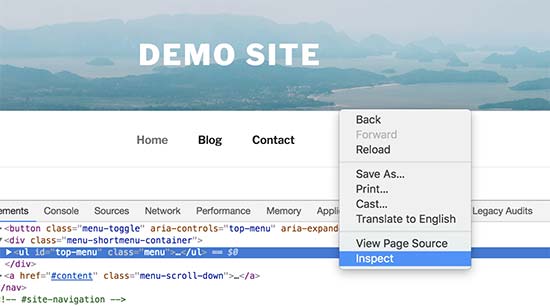
The inspect tool in your web browser will be your best friend when it comes to figuring out which CSS classes to change. If you haven’t used it before, then take a look at our guide on how to use inspect tool to customize WordPress themes.

Basically, you just need to point the cursor to the element you want to modify, right click and then select Inspect tool from browser’s menu.

Using inspect tool to look up for CSS classes to modify

That being said, let’s take a look at some real life examples of styling navigation menus in WordPress.

1. How to Change Font Color in WordPress Navigation Menus

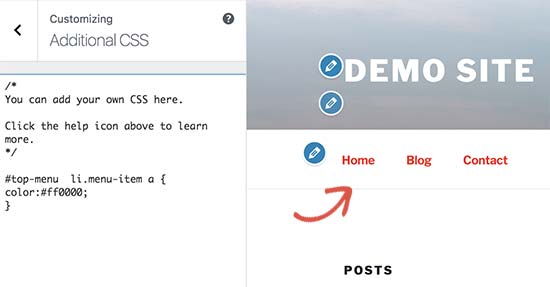
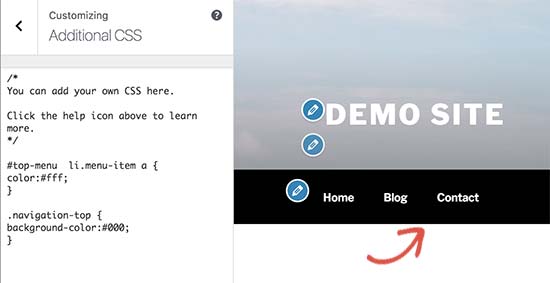
Here is the sample custom CSS that you can add to your theme to change font color of navigation menus.

#top-menu  li.menu-item a {
color:#ff0000;
} 

In this example, the #top-menu is the ID assigned to the unordered list that displays our navigation menu. You will need to use the inspect tool to find out the ID used by your theme.

Changing font color of WordPress navigation menus

2. How to Change Background Color of Navigation Menu Bar

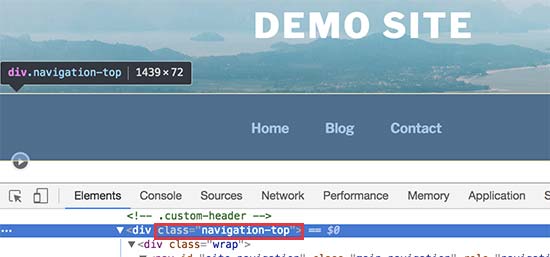
First you’ll need to find out the CSS ID or class used by your theme for the container surrounding navigation menu.

Finding CSS class for navigation menu container

After that you can use the following custom CSS to change background color of navigation menu bar.

.navigation-top { 
background-color:#000; 
}

Here is how it looked on our demo website.

Changing background color of navigation menu bar

3. How to Change Background Color of a Single Menu Item

You may have noticed that many websites use a different background color for the most important links in their navigation menu. This link could be a login, sign up, contact, or buy button. By giving it a different color, it makes the link more noticeable.

To achieve this, we will add a custom CSS class to the menu item that we want highlight with a different background color.

Head over to Appearance » Menus and click on the Screen Options button at the top right corner of the screen. This will bring up a fly down menu where you need to check the box next to ‘CSS classes’ option.

Enable CSS classes option for individual menu items

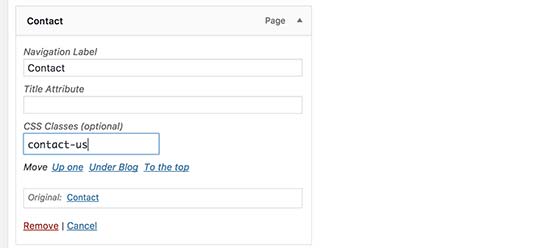
After that you need to scroll down to the menu item that you want to modify and click to expand it. You will notice a new option to add your custom CSS class.

Adding custom css class to a menu item

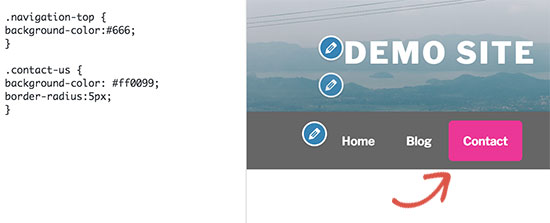
Now you can use this CSS class to style that particular menu item differently.

.contact-us { 
background-color: #ff0099;
border-radius:5px;
}

Here is how it looked on our test site.

Changing background color of a single menu item in WordPress navigation menus

4. Adding Hover Effects to WordPress Navigation Menus

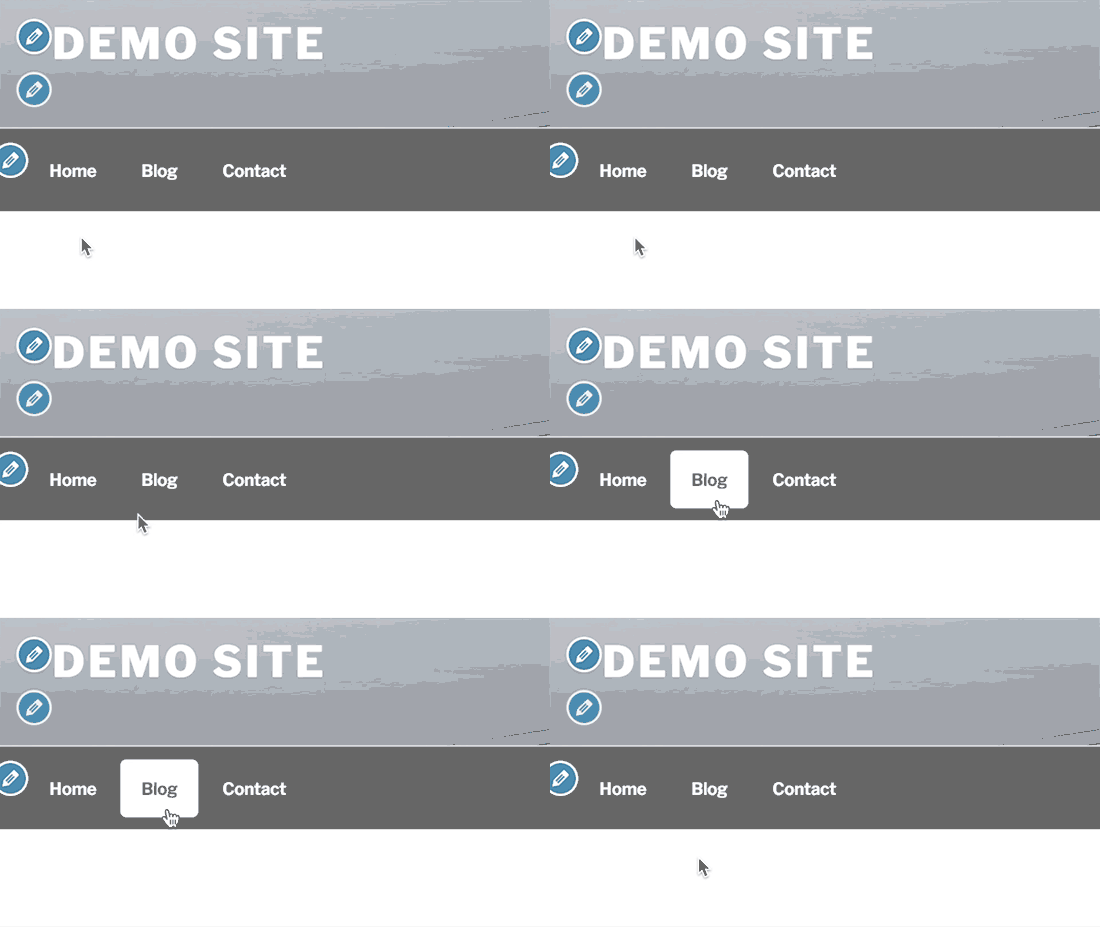
Do you want your menu items to change colors on mouse-over? This particular CSS trick makes your navigation menus look more interactive.

Simply add the following custom CSS to your theme.

#top-menu  li.menu-item a:hover {
background-color:#fff;
color:#666;
border-radius:5px;
} 

In this example, #top-menu is the CSS ID used by your theme for the unordered navigation menu list.

Here is how this looked on our test site.

Mouseover effect in WordPress navigation menus

5. Create Sticky Floating Navigation Menus in WordPress

Normally navigation menus appear on top and disappear as a user scrolls down. Sticky floating navigation menus stay on top as a user scrolls down.

You can add the following CSS code to your theme to make your navigation menus sticky.

#top-menu {
    background:#2194af;
    height:60px;
    z-index:170;
    margin:0 auto;
    border-bottom:1px solid #dadada;
    width:100%;
    position:fixed;
    top:0;
    left:0;
    right:0;
    text-align: right;
    padding-right:30px
}

Simply replace #top-menu with the CSS ID of your navigation menu.

Here is how it looked in our demo:

Sticky navigation menu

For more detailed instructions and alternate method, see our guide on how to create a sticky floating navigation menu in WordPress.

6. Create Transparent Navigation Menus in WordPress

Many websites use large or fullscreen background images with their call to action buttons. Using transparent menus makes your navigation blend in with the image. This makes users more likely to focus on your call to action.

Simply add the following sample CSS to your theme to make your navigation menus transparent.

#site-navigation { 
background-color:transparent; 
}

This is how it looked on our demo site.

Transparent navigation menus in WordPress

Depending on your theme, you may need to adjust the position of the header image so that it covers the area behind your transparent menus.

We hope this article helped you learn how to style WordPress navigation menus. You may also want to see our guide on how to add mobile-ready responsive WordPress menu.

If you liked this article, then please subscribe to our YouTube Channel for WordPress video tutorials. You can also find us on Twitter and Facebook.

The post How to Style WordPress Navigation Menus appeared first on WPBeginner.

10+ Best Beaver Builder Add-ons For Even More Functionality

With its 400,000+ active installs, Beaver Builder is one of the most popular WordPress page builders that you’ll find. It also has a huge developer community, which has led to the creation of a similarly huge number of Beaver Builder add-ons. We already covered the equally vibrant Elementor add-ons community, so now it’s time to ... Read more

The post 10+ Best Beaver Builder Add-ons For Even More Functionality appeared first on Learn WordPress with WPLift.

Black Friday / Cyber Monday 2017 WordPress Deals – Big Savings

Are you looking for the best Black Friday and Cyber Monday deals on your favorite WordPress products. These next few days are the perfect time to buy premium WordPress plugins, themes, hosting, and other web tools to grow your business. To help you find the best deals, we have listed the best WordPress Black Friday and Cyber Monday deals for 2017. Some of these are exclusive just for WPBeginner readers.

Black Friday / Cyber Monday 2017 WordPress Deals

Note: These offers are for LIMITED TIME only. We’ve indicated the expiration date next to each offer.

Some deals are not live at the time of publishing this blog post, but will be going live through out this week.

Don’t forget to bookmark this page because we will be updating it throughout the week as we find new deals.

NameTypeDiscount
OptinMonsterPlugin25% off
WPFormsPlugin25% off
MonsterInsightsPlugin25% off
Envira GalleryPlugin25% off
SoliloquyPlugin25% off
HostGatorHosting80% off
BluehostHosting63% off
A2 HostingHosting67% off
SiteGroundHosting70% off
WPEngineHosting50% off
IPVanishServices76% off
Beaver BuilderPlugin25% off
Elegant ThemesSuite25% off
iThemesSuite50% off
LearnDashPlugin50% off
CSSIgniterThemes50% off
CSS HeroPlugin60% off
ThirstyAffiliatesPlugin30% off
Easy Digital DownloadsPlugin25% off
Restrict Content ProPlugin25% off
AffiliateWPPlugin25% off
StudioPressThemes50% off
ChurchThemes.comThemes30% off
WPZoomThemes70% off
ThemeIsleSuite25% off
MemberPress Plugin20% off
Affiliate RoyalePlugin20% off
Pretty Links ProPlugin20% off
TemplateMonsterThemes50% off
FlywheelHosting25% off
Engine ThemesThemes40% off
MyThemeShopThemes72% off
Event EspressoPlugin50% off
ImagelySuite40% off
TeslaThemesThemes40% off
ShowThemesThemes40% off
PhotocratiThemes40% off
Swift PerformancePlugin60% off
ThemeStopThemes60% off
Barn2 MediaPlugin50% off
Page Builder SandwichPlugin33% off
ThemeumThemes50% off
WP-CRM SystemPlugin30% off
Conditional CheckoutPlugin30% off
WP ZincPlugin35% off
WP Native ArticlesPlugin30% off
Advanced AdsPlugin30% off
ProfilePressPlugin25% off
Winwar MediaPlugin25% off
StackPressHosting70% off
Acme ThemesThemes30% off
Smart Slider 3Plugin60% off
Graph Paper PressSuite50% off
NamecheapServices99% off
IconicPlugin25% off
Widget OptionsPlugin30% off
Paid Memberships ProPlugin50% off
MotoPressSuite55% off
SecondLineThemes25% off
Fly PluginsPlugin35% off
AAWPPlugin30% off
WowThemesThemes50% off
MaxCDNServices25% off
LiveChat IncServices50% off
WooCommercePlugin30% off

Get 25% OFF OptinMonster

OptinMonster helps you convert abandoning website visitors into subscribers and customers. It’s a powerful conversion optimization toolkit that Pros use to grow their email list and boost sales.

OptinMonster is created by Syed Balkhi, founder of WPBeginner. We use it on our site and have seen as high as 600% increase in our subscriber growth.

Other pro bloggers like Mike Stelzner from Social Media Examiner has added over 250,000 email subscribers using OptinMonster. See all OptinMonster case studies.

OptinMonster helps you design beautiful optin forms that are proven to convert. You can show personalized messages at the right time to your visitors with OptinMonster’s behavior automation features.

If you’re serious about growing your online business, then this is a MUST HAVE tool.

Use the coupon code: BF2017 to get 25% OFF OptinMonster.

Get 25% OFF OptinMonster

Note: This deal is good from Monday Nov 20th — until Nov 30th.
Get 25% OFF WPForms

WPForms

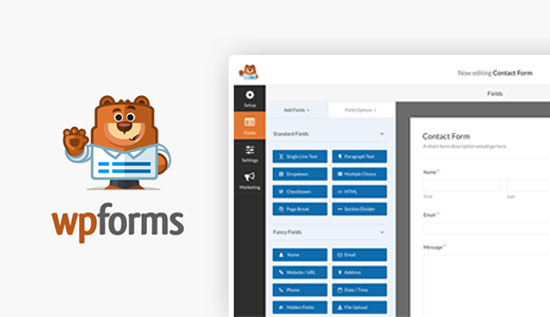
WPForms is the best form builder plugin for WordPress. Unlike other WordPress contact form plugins, WPForms is designed to be the most beginner friendly form plugin in the market.

It comes with an intuitive drag and drop form builder which allows you to build any kind of form you want. It includes ready to use form templates, smart conditional logic, user registration and login form, front-end post submission form, newsletter signup form, payment forms, and much more.

WPForms integrates beautifully with third-party tools like PayPal, Stripe, MailChimp, Aweber, etc. Most importantly, all your forms are mobile friendly out of the box.

Use the coupon code: BF2017 to get 25% OFF all WPForms plans.

Get 25% Off WPForms

Note: This deal is good from Monday Nov 20th — until Nov 30th.

Get 25% OFF MonsterInsights

MonsterInsights

MonsterInsights is the best and most popular Google Analytics plugin for WordPress (currently being used on over 1.9 million websites).

MonsterInsights help you see how visitors find and use your website, so you can keep them coming back. Simply put, get stats that matter.

It allows you to get detailed user engagement reports, which helps you make data-driven decisions to boost sales and conversions. This holiday season, they are offering 25% OFF on all plans.

Use coupon code: BF2017

Get 25% OFF MonsterInsights

Note: This deal is good from Monday Nov 20th — until Nov 30th.

Get 25% OFF Envira Gallery
Envira Gallery

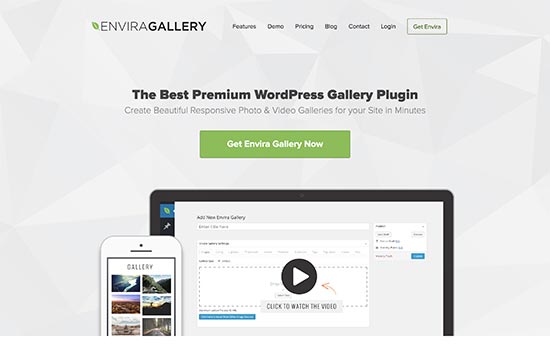
Envira Gallery is the best responsive WordPress gallery plugin in the market. Unlike other gallery plugins, Envira is built for speed and is faster than all other gallery plugins for WordPress.

It is packed with features like Albums, Lightbox popup, drag and drop builder, gallery templates, full screen slideshows, WooCommerce integration, watermarking, and much more.

Use the coupon code: BF2017 to get 25% OFF all Envira Gallery plans.

Get 25% Off Envira Gallery

Note: This deal is good from Monday Nov 20th — until Nov 30th.

Get 25% OFF Soliloquy

Soliloquy

Soliloquy is the best WordPress slider plugin in the market. It is super-easy to use and packed with great features like carousel, fullscreen sliders, featured content, Instagram, ready to use themes, and much more.

Use the coupon code: BF2017 to get 25% OFF on all Soliloquy plans.

Get 25% OFF Soliloquy

Note: This deal is good from Monday Nov 20th — until Nov 30th.

Get 80% OFF HostGator

HostGator

HostGator is one of the most popular WordPress hosting companies, and we use their dedicated servers to host WPBeginner. Our founder, Syed Balkhi, has been a HostGator customer since 2007.

They’re offering WPBeginner users an exclusive 80% off hosting deal and you get the domain for $2.99.

This is a WPBeginner exclusive offer, and it doesn’t get any better than this.

Get the best HostGator deal in the market

You have to use the coupon code: WPBEGINNER80 to claim the deal.

Note: This deal is already live right now and will be valid until November 28th.

Get 63% OFF Bluehost

Bluehost

Bluehost is one of the officially recommended WordPress hosting providers. This Black Friday they will be offering amazing discount deals throughout the week.

You can get web hosting + free domain + free SSL certificate for $2.65 / month on Black Friday till Sunday.

Get the best Bluehost Deal

Note: This deal is starts on November 24th and is valid until November 27th, 2017.

Get 67% OFF A2 Hosting

A2 Hosting

A2 Hosting is a popular host known for their ultra-fast and reliable WordPress hosting, and expert technical support. This holiday season they are offering 67% off their shared hosting plans and 50% off their managed VPS.

Use coupon code: HUGE67

Get 67% Off A2 Hosting

Note: This deal is valid from 23rd November – 27th November.

Get 70% OFF SiteGround

SiteGround

SiteGround is one of the leading WordPress hosting providers. They are offering discount deals upto 70% OFF during black friday and cyber monday.

Get 70% OFF SiteGround

We use Siteground to host our popular List25 site (see case study).

Note: This deal is good from November 24 till November 28.

Get 50% OFF WPEngine
WPEngine

WPEngine is the best WordPress managed hosting service provider. They are offering a 50% discount for initial payments on their hosting plans.

No coupon required

Get 50% OFF WPEngine

Get IPVanish Lifetime VPN for $2.87 / Month

ipvanish

IPVanish is one of the best VPN services for WordPress users. This holiday season, they are offering a lifetime VPN plan for just $2.87/month for all new users (billed $69.00 every two years).

Get IPVanish Lifetime VPN

Note: This offer is valid from November 22, 12:01pm EST until until November 29, 11:59am ET.

Get 25% OFF Beaver Builder

Beaver Builder

Beaver Builder is the best WordPress page builder plugin in the market. It is 100% drag-and-drop which makes it really easy for beginners to create custom page layouts.

Unlike other plugins, it is actually quite fast and easy to learn. In our opinion, it is by far the best option in the market.

This holiday season, they’re offering a 25% discount.

Get 25% OFF BeaverBuilder

Note: Discounts will be applied automatically from November 24th – 27th.

Get 25% OFF Elegant Themes

Elegant Themes

Elegant Themes is one of the oldest and most reliable WordPress companies around offering premium WordPress themes and plugins to a large community of users. This holiday season they are offering 25% discount to all existing and new customers.

Get 25% OFF Elegant Themes

Note: This offer is valid on 24 November 00:00 PDT and 27 November 00:00 PDT.

Get 50% OFF iThemes + BackupBuddy

iThemes

Our friends at iThemes are offering a whopping 50% discount on their WordPress Toolkit. This kit includes BackupBuddy one of the best WordPress backup plugins in the market.

It also includes 40+ plugins, 200+ themes, 800+ hours of training, 10+ iThemes Sync Pro Sites, and more.

Use coupon code: WPTOOLKIT50

Get 50% OFF iThemes Now

Note: This offer expires on November 30, 2017.

Get 50% OFF LearnDash
LearnDash

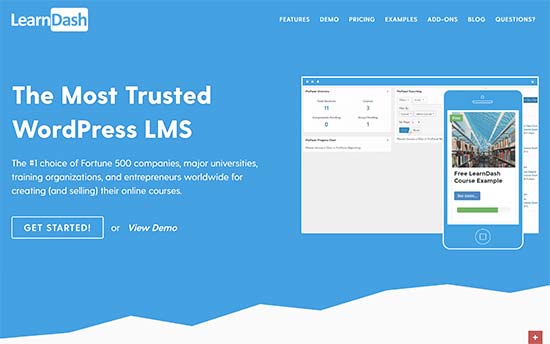
LearnDash is the best WordPress LMS plugin in the market. It allows you to create highly interactive online courses with in WordPress. You can make money by accepting payments and selling courses. It also integrates beautifully with MemberPress to create amazing online communities on your learning website.

They are offering 50% OFF on Black Friday and Cyber Monday.

Use coupon code: BLACKFRIDAY Valid only on November 24, between 7am-4pm EST.

Use coupon code: CYBERMONDAY Valid only on November 27, between 7am-4pm EST.

Get 50% OFF CSSIgniter

CSSIgniter

CSSIgniter is one of the most popular WordPress theme shops. They offer well crafted, stunningly gorgeous, and well coded WordPress themes.

The have offered an exclusive 50% discount to WPBeginner users.

Use coupon code: BFWPB2017

Get 50% OFF CSSIgniter

Note: This offer is valid from November 21 to December 2.

Get 60% OFF CSS Hero
CSS Hero

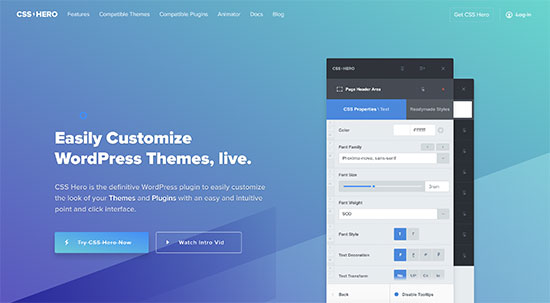
CSS Hero allows you to customize the look of any WordPress theme or plugin without touching code. Using simple point-and-click interface you can change appearance of any part of your website.

Unlike page builder plugins which help you create new layouts, CSS Hero helps you customize existing layouts. For more details, take a look at our CSS Hero review.

This holiday season they are offering 60% discount.

Get 60% OFF CSS Hero

Note: This deal is valid from 24 November until 27 November 2017.

Get 30% OFF ThirstyAffiliates

ThirstyAffiliates

ThirstyAffiliates is a must have affiliate marketing plugin for WordPress users. It allows you to manage and cloak affiliate links in WordPress.

They are offering 30% OFF on all licenses during holiday season.

Use coupon code: BF2017

Get 30% OFF ThirstyAffiliates

Note: This deal is valid from 24th November through to midnight on Monday 27 November (PST – Pacific Time).

Get 25% OFF Easy Digital Downloads

Easy Digital Downloads

Easy Digital Downloads is one of the best WordPress eCommerce plugins. They are offering 25% discount on all extensions.

Use coupon code: BFCM2017

Get 25% off Easy Digital Downloads

Note: This offer is valid from 24 November until 27 November.

Get 25% OFF Restrict Content Pro

Restrict Content Pro

Restrict Content Pro allows you to restrict content to registered users only. They are offering 25% discount on all extensions.

Use coupon code: BFCM2017

Get 25% OFF Restrict Content Pro

Note: This offer is valid from 24 November until 27 November.

Get 25% OFF AffiliateWP
AffiliateWP

AffiliateWP is one of the best affiliate tracking and management plugin for WordPress. They are offering a 25% discount on all extensions.

Use coupon code: BFCM2017

Get 25% OFF AffiliateWP

Note: This offer is valid from 24 November until 27 November.

Get Upto 50% OFF StudioPress

StudioPress

StudioPress is one of the best premium WordPress theme shops and creators of the Genesis theme framework. This holiday season they are offering all new customers 25% OFF, and 50% OFF to all returning customers. This offer is also valid for multiple theme purchases as well as their Pro Pack which normally costs $499.95.

Get Upto 50% OFF StudioPress Themes

Note: This offer is valid from 21 November to 28 November 8:00 p.m. EST.

Get 30% OFF ChurchThemes.com

ChurchThemes

ChurchThemes offers beautifully designed WordPress themes for churches, religious, and spiritual websites. All their themes include a Church Content plugin which helps you easily add sermons, events, locations, people, and more.

This holiday season they are offering 30% off on all their products.

Get 30% off ChurchThemes.com

Note: This deal is valid from November 24 to November 29.

Get 70% OFF WPZOOM
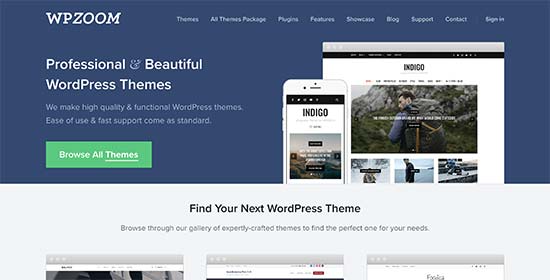
WPZoom

WPZoom is a premium WordPress theme shop offering beautiful themes for all kind of websites. This holiday season, they are offering 60% discount on their All Theme Package and 70% discount on their All Theme Package PRO.

Get 70% OFF WPZoom

Note: This offer is valid from 24 November to 28 November, 2017.

Get 25% OFF ThemeIsle
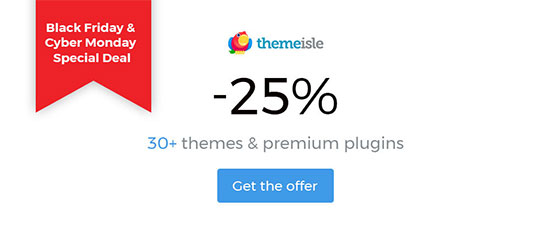
ThemeIsle

ThemeIsle offers a great collection of premium WordPress themes and plugins. They are offering 25% discount on all new signups for their membership plans.

Get 25% off ThemeIsle

Note: This offer is valid from 24 November to 28 November.

Get 20% OFF MemberPress

MemberPress

MemberPress is the best WordPress membership plugin in the market today. It allows you to easily create a membership website with paid subscriptions or a pay per view website with multi-level subscription plans. This holiday season, they are offering 20% discount on all plans.

Use this coupon code: BF2017

Get 20% OFF MemberPress

Note: This offer is valid From 24 November at 12:00 AM until 27 November 11:59 PM MST.

Get 20% OFF Affiliate Royale

Affiliate Royale

Affiliate Royale is an affiliate program plugin for WordPress. They are offering 20% discount on all their plans.

Use this coupon code: BF2017

Get 20% OFF Affiliate Royale

Note: This offer is valid From 24 November at 12:00 AM until 27 November 11:59 PM MST.

Get 20% OFF Pretty Link Pro

Pretty Links Pro

Pretty Link Pro is a link cloaking and redirection plugin for WordPress. They are offering 20% discount on their plans.

Use this coupon code: BF2017

Get 20% off Pretty Links Pro

Note: This offer is valid From 24 November at 12:00 AM until 27 November 11:59 PM MST.

Get 50% OFF TemplateMonster

TemplateMonster

TemplateMonster is a premium WordPress theme shop. This holiday season they are offering 50% discount on all their products.

Get 50% Off TemplateMonster

Note: This offer is valid from November, 23 until November, 30.

Get 25% OFF Flywheel

Flywheel

Flywheel is a managed WordPress hosting provider. They are offering 3 months free (that’s 25% off) all new annual WordPress hosting plans (starting at just $11.25/month).

Get 25% OFF Flywheel

Note: This offer is valid from 12:01 a.m. on Monday, Nov. 20th to 11:59 p.m. on Tuesday, Nov. 28.

Get 40% OFF Engine Themes

Engine Themes

Engine Themes is a premium WordPress theme shop. They offer WordPress themes for all kind of websites. This holiday season, they are offering 40% off on all their themes.

Use coupon code: ET40

Get 40% OFF Engine Themes

Note: This deal is valid from 24 November until 27 November.

Get 72% OFF MyThemeShop
MyThemeShop

MyThemeShop offers premium WordPress themes for different industries and niches. They are offering upto 72% discount on their themes during Black Friday and Cyber Monday.

Use coupon code: BFCM17

Get 72% OFF MyThemeShop

Note: This offer is valid from 20th November until 3rd December, 2017.

Get 50% OFF Event Espresso

Event Espresso

Event Espresso provides an easy way to manage events from your WordPress site. They are offering 25% discount on new support licenses and a whopping 50% discount on add ons.

Get 50% Off Event Espresso

Note: This offer expires on November 27, 2017.

Get 40% off Imagely
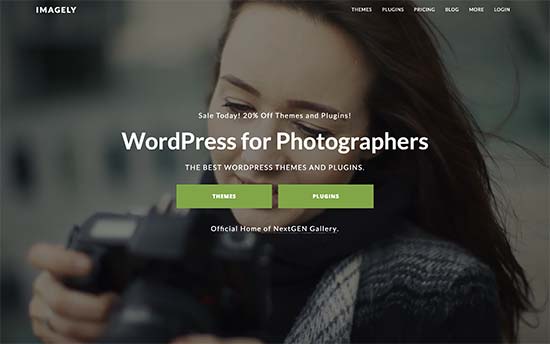
Imagely

Imagely is home of the popular WordPress photography plugin NextGen (See our comparison of the best WordPress gallery plugins). They are offering 40% discount on all their plugins and themes.

Use coupon code: BF40

Get 40% OFF Imagely

Note: This offer is valid from 24 November to 27 November.

Get 40% OFF TeslaThemes

TeslaThemes

TeslaThemes offers beautifully designed premium WordPress themes. They are offering 50% discount on all their products.

Use coupon code: BF40

Get 40% Off TeslaThemes

Note: This offer is valid from 24 November to 27 November.

Get 40% OFF ShowThemes
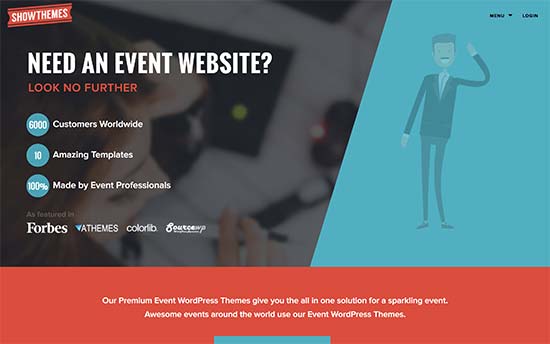
ShowThemes

ShowThemes offers premium WordPress themes for events, conferences, and event professionals. This holiday season, they are offering 40% discount on their themes.

Use coupon code: BF40

Get 40% OFF ShowThemes

Note: This offer is valid from 24 November to 27 November.

Get 40% Off Photocrati
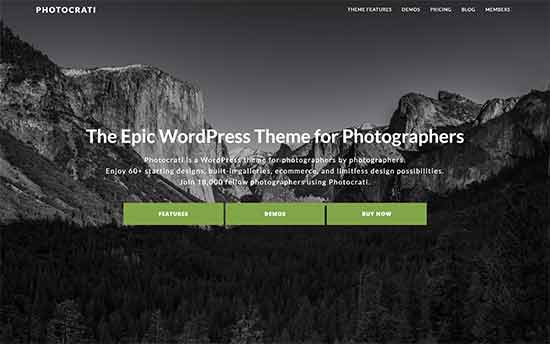
Photocrati

Photocrati is a WordPress theme designed specifically for photographers. They are offering 40% discount during this holiday season.

Use coupon code: BF40

Get 40% OFF Photocrati

Note: This offer is valid from 24 November to 27 November.
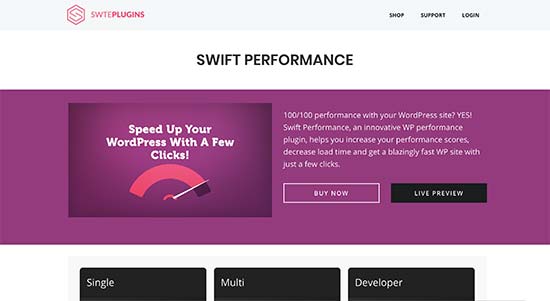
Get 60% OFF Swift Performance

Swift Performance

Swift Performance is a premium WordPress performance optimization plugin. It helps you achieve higher page speed scores and a blazing fast website with just few clicks.

They are offering WPBeginner users an exclusive 60% discount on all plans.

Use coupon code: WPBCYBER

Get 60% OFF Swift Performance

Note: This offer is valid from 24 November until 30 November.

Get 60% OFF ThemeStop
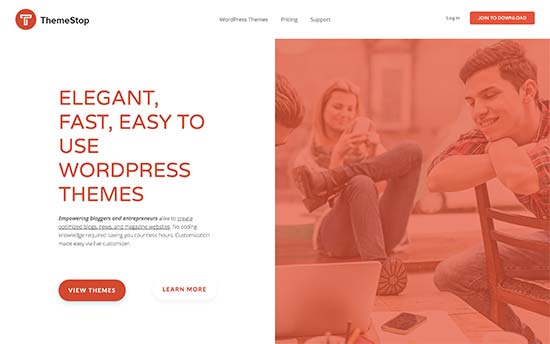
ThemeStop

ThemeStop offers beautifully designed WordPress themes for all kind of websites. They are offering 60% discount on their theme club memberships.

Use coupon code: HOLIDAY60

Get 60% OFF ThemeStop

This deal is valid till 28th November.
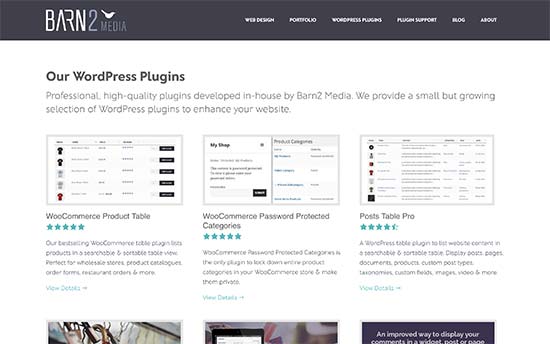
Get 50% OFF Barn2 Media

Barn2 Media

Barn2 Media offers premium WordPress plugins like WooCommerce Product Table, WooCommerce Password Protected Categories, Posts Table Pro, and more. They are offering 50% discount on all their products.

Use coupon code: BARN2CYBER2017

Get 50% OFF Barn2 Media

Note: This deal is valid from 24th November until 27th November.

Get 33% OFF Page Builder Sandwich
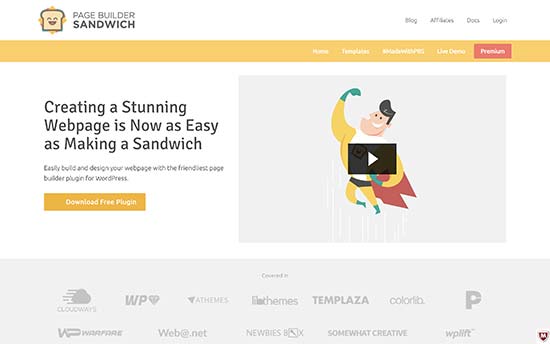
Page Builder Sandwich

Page Builder Sandwich is an premium WordPress page builder plugin. During this holiday season, they are offering 33% discount on purchase of any license.

Use coupon code: CYBERMONDAY33

Get 33% OFF Page Builder Sandwich

Note: This deal is valid from 20 November to 27 November.

Get 50% OFF Themeum
Themeum

Themeum is a premium WordPress plugins and theme shop. They are offering 50% discount on all their products during holiday season.

Use this coupon code: BLACKFRIDAY50

Get 50% OFF Themeum

Note: This deal is valid from 23 November to 30 November.

Get 30% OFF WP-CRM System
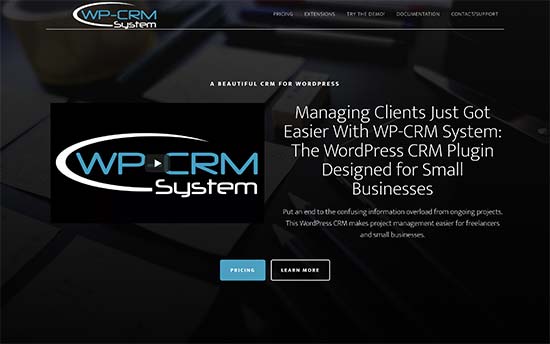
WP-CRM System

WP-CRM System is a premium plugin that allows you to add a CRM system to your WordPress site. This holiday season, they are offering 30% discount on any plugin package.

Use coupon code: BFCM2017

Get 30% OFF WP-CRM System

Note: This deal is valid from 24 November to 27 November.

Get 30% OFF Conditional Checkout Fields
Conditional Checkout Fields

Conditional Checkout Fields allows you to collect data from customers during the checkout. They are offering 30% discount on all plugins during the holiday season.

Use coupon code: BFCM2017

Get 30% OFF Conditional Checkout Fields

Note: This deal is valid from 24 November to 27 November.

Get 35% Off WP Zinc

WP Zinc

WP Zinc offers premium WordPress plugins like WordPress to Buffer Pro, Comment Rating Field Pro, and Page Generator Pro. This holiday season, they are offering 35% OFF on all their plugins.

Use coupon code: BF2017

Get 35% OFF WP Zinc

Note: This offer is valid from 24 November to 27 November.

Get 30% OFF WP Native Articles

WP Native Articles

WP Native Articles is a WordPress plugin to add Facebook Instant Article support to your website. They are offering 30% OFF during the holiday season.

Use coupon code: BLACK30

Get 30% OFF WP Native Articles

Note: This offer is valid from 24 November to 28 November.

Get 30% OFF Advanced Ads

Advanced Ads

Advanced Ads is a WordPress ad management plugin. It allows you to easily insert ads into your WordPress website. They are offering 30% discount during holiday season.

Use coupon code: BFCB2017

Get 30% OFF Advanced Ads

Note: This offer is valid from November 24 to November 27.

Get 25% Off ProfilePress
ProfilePress

ProfilePress allows you to create user profile forms. They are offering 25% discount during this Black Friday and Cyber Monday.

Use coupon code: BFCM2017

Get 25% Off ProfilePress

Note: This offer is valid from November 24th to November 27th 2017.

Get 25% OFF Winwar Media Plugins

Winwar Media

Winwar Media offers premium WordPress plugins like WP Taxi Me Premium, which allows users to order Uber and Lyft taxis straight from your site. Their Inline Tweet Sharer Premium, allows you to add Tweetable quotes to your site.

During this holiday season, they are offering 25% discount on all purchases.

Use coupon code: BF2017

Get 25% OFF Winwar Media Plugins

Note: This offer is valid from 21 November to 29 November.

Get 70% OFF StackPress

StackPress

StackPress offers WordPress hosting for blogs and business websites. They are offering 70% discount on first six months.

Use coupon code: SAVE70

Get 70% OFF StackPress

Note: This offer is valid from 24 November to 28 November.

Get 30% OFF Acme Themes

Acme Themes

Acme Themes is a commercial WordPress theme shop offering themes for all kind of websites. They are offering 30% discount during Black Friday and Cyber Monday.

Use coupon code: BLACKFRIDAY2017

Get 30% OFF Acme Themes

Note: This offer is valid from 18th November till 3rd December 2017.

Get 60% OFF Smart Slider 3

Smart Slider 3

Smart Slider 3 is a WordPress slider plugin allowing you to create beautiful sliders easily. They are offering 60% discount on all licensing plans.

Use coupon code: BF2017

Get 60% OFF Smart Slider 3

Note: This offer is valid from November 23rd to 28th.

Get 40% OFF Quema Labs
Quema Labs

Quema Labs is a premium WordPress theme shop. They offer WordPress themes for business, portfolio, and personal websites. This holiday season, they are offering 40% discount on all themes.

Use this coupon code: BLACKFRIDAY40

Get 40% OFF Quema Labs

Note: This deal is valid from 24th November to 27th November.

Get 50% OFF Graph Paper Press
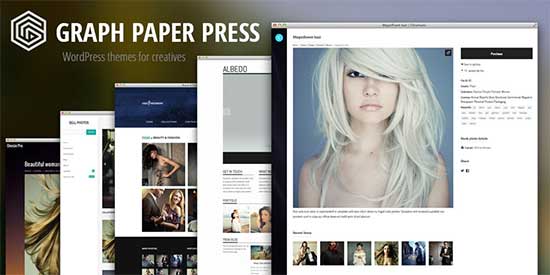
Graph Paper Press is offering 50% discount on all their theme and plugins included in Basic and Professional plans.

Use coupon code: gppblackfriday2017

Get 50% OFF Graph Paper Press

Note: This offer is valid From November 20 until Nov. 26 at midnight EST.

Get 99% OFF Namecheap

Namecheap

Namecheap offers domain names and hosting services. This Black Friday they are offering up to 99% off domain names and other services.

Get 99% off Namecheap

Note: This offer begins 12:00 AM EST on Friday November 24.

Get 25% OFF Iconic
Iconic
Iconic offers premium WordPress plugins for WooCommerce. This holiday season, they are offering 25% discount on all their products.

Use coupon code: blackfriday17

Get 25% off Iconic

Note: This offer is valid from 24th to the 27th of November, 2017.

Get 30% OFF Widget Options

Widget Options

Widget Options plugin allows you to extend functionality of WordPress widgets. They are offering 30% discount on all new purchases, renewals, and add-ons.

Use coupon code: BLACKNCYBER30

Get 30% off Widget Options

Note: This offer is valid from November 24-28, 2017.

Get 50% OFF Paid Memberships Pro

Paid Memberships Pro

Paid Memberships Pro is a premium WordPress membership plugin. They are offering 50% discount on all memberships during the holiday season.

Use coupon code: blackfriday

Get 50% Off Paid Memberships Pro

Note: This offer is valid from 23 November until 28 November.

Get 55% OFF MotoPress

MotoPress

MotoPress offers premium WordPress themes and plugins. They are offering up to 55% discount on their products.

Use coupon code: MPBESTBUY

Get 55% Off MotoPress

Note: This offer is valid from November, 23 until November, 27.

Get 25% Off SecondLine
SecondLine

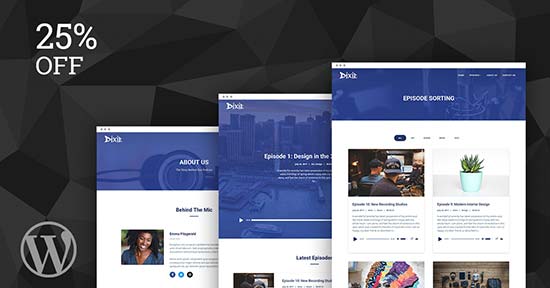
SecondLine offers premium WordPress themes for Podcasting. During the holidays, they are offering 25% discount on any theme.

Use coupon code: SECONDLINE25

Get 25% Off SecondLine

Note: This offer is valid from November 23rd to November 28th.

Get 35% Off Fly Plugins

Fly Plugins

Fly Plugins offers premium plugins like WP Courseware (LMS) and S3 Media Maestro. They are offering 35% discount on their plugins.

Use coupon code: WPB35

Get 35% Off Fly Plugins

Note: This offer is valid till 1st December, 2017.

Get 30% OFF AAWP

AAWP

AAWP is a premium WordPress plugin for Amazon Affiliates. This holiday season they are offering 30% discount on all licenses.

Use coupon code: BFCM2017

Get 30% Off AAWP

Note: This offer is valid from 24 November until 28 November.

Get 50% Off WowThemes

WowThemes

WowThemes offers premium WordPress themes. They are offering 50% discount on their All Themes Package.

Use coupon code: wowfriday

Get 50% Off WowThemes

Note: This offer is valid from 23 November until 28 November.

Get 25% OFF MaxCDN

MaxCDN

MaxCDN is the industry leader in content delivery network. We use MaxCDN to improve performance of all our websites including WPBeginner (See why you need a CDN Infographic).

No coupon required, just follow the link.

Get 25% OFF MaxCDN

LiveChat Inc
Signup for LiveChat

LiveChat Inc is the industry leader in the live chat support software. It’s very easy to use and setup on your website. We use it on our sister websites to offer Live Chat support to our users.

For this black friday, they are offering WPBeginner users an exclusive 50% off first payment and a 30-day trial.

No coupon is required, just follow the link below.

Get 50% off LiveChat Inc

WooCommerce

WooCommerce

WooCommerce, the most popular WordPress eCommerce plugin is offering 30% off everything on their website.

All you have to do is use the coupon: BLACKCYBER

Get 30% off WooCommerce

If you have been wanting to start an online store, then this is a pretty good time to start.

Note: This deal expires on November 27, 2017.

******* END Of DEALS *******

That’s all for now. We will be adding more deals and updating this page throughout the week.

Aside from these, we also have tons of other WordPress deals and discounts for WPBeginner readers.

Hopefully, you can take advantage of some of these limited time deals. Have a happy thanksgiving.

P.S. If you’re a WordPress company offering discount or know of one that is having a deal, then please let us know, so we can update this article.

If you liked this article, then please subscribe to our YouTube Channel for WordPress video tutorials. You can also find us on Twitter and Facebook.

The post Black Friday / Cyber Monday 2017 WordPress Deals – Big Savings appeared first on WPBeginner.
How to Import / Export WordPress Theme Customizer Settings

Do you want to import or export theme customizer settings in WordPress? Exporting and importing theme customizer settings allow you to use the same configuration on another WordPress site. In this article, we will show you how to easily import / export WordPress theme customizer settings.

Import / export theme customizer settings in WordPress

Why Import / Export WordPress Theme Customizer Settings?

Many WordPress themes allow you to set up your website using theme customizer. It allows you to change colors, header images, background images, choose layout settings, and more.

Some paid and free themes have more settings available in customizer, while others have just a few basic options.

If you were working on customizing the theme on a local server or staging site, then wouldn’t it be nice if you could just move those settings to the live site?

This will allow you to move theme customizer settings from one website to another without having to move content and database.

That being said, let’s take a look at how to easily import / export theme customizer settings in WordPress.

How to Import / Export Theme Customizer Settings in WordPress

First thing you need to do is install and activate the Customize Export/Import plugin on both sites where you want to export/import. For more details, see our step by step guide on how to install a WordPress plugin.

First let’s export the theme customizer settings.

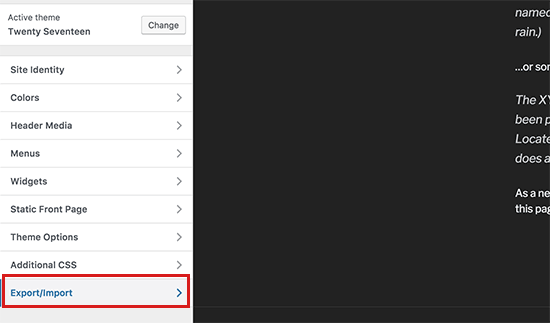
You need to go to Themes » Customize page on the website you want to export from.

Export/Import option in Customizer

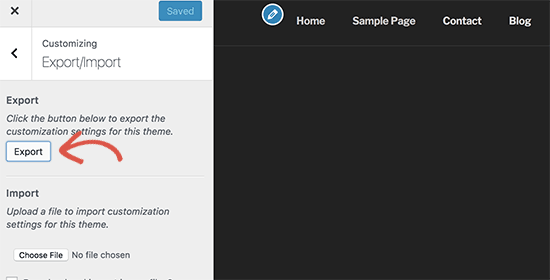
Next, you need to click on the ‘Export/Import’ panel to view its settings and then click on the ‘Export’ button.

Export customizer settings

The plugin will now export your customizer settings and send them to your browser in a .dat file.

It can export all your theme options that are defined as theme mods or stored as options in WordPress database. This means you can export things like color settings, layout directions, header media, etc.

However, it will not export your navigation menus, site title and description, widgets, and more.

To import customizer settings, head over to the WordPress site where you want to import these settings.

You need to go to Appearance » Customize page and click on the Export/Import panel.

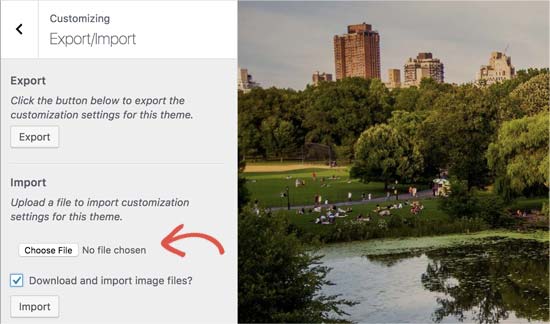
After that you need to click on the ‘Choose file’ button to select the file you exported earlier. You also need to check the box next to ‘Download and import image files?’ option to import header and other image files.

Import theme settings
Next, click on the ‘Import’ button to start uploading.

The plugin will now import the customizer settings from your export file.

Once it is finished, you can review your changes in the customizer and then click on the ‘Save & Publish’ button to make those changes live.

The plugin only exports theme settings saved using theme customizer and does not export site data like menus, widgets, images, and more. You will have to manually setup those changes.

We hope this article help you find an easier way to import/export theme customizer settings in WordPress. You may also want to see our checklist of things you must do when changing WordPress themes.

If you liked this article, then please subscribe to our YouTube Channel for WordPress video tutorials. You can also find us on Twitter and Facebook.

The post How to Import / Export WordPress Theme Customizer Settings appeared first on WPBeginner.

21 Best WordPress Themes for Nonprofit Organizations

Are you looking for the best WordPress themes for nonprofits? Charity and non-profit websites require appealing presentation with tools to manage their donation goals. In this article, we will show you some of the best WordPress themes for nonprofits that will help you get maximum donations and achieve those goals.

Best WordPress themes for nonprofit organizations

Making a Website for a Nonprofit Organization

WordPress is the most popular website builder among nonprofits around the world. It is free and open source which gives you the freedom and flexibility you need for a solid online presence.

Just to be clear, there are two versions of WordPress. WordPress.com which is a hosted solution, and WordPress.org also known as self-hosted WordPress. See our comparison of WordPress.com vs WordPress.org for more details.

We recommend using self hosted WordPress.org. It gives you access to all the features of WordPress right out of the box (without any restrictions).

You’ll need a domain name and WordPress hosting account to start your self hosted WordPress website.

We recommend using Bluehost. They are one of the largest hosting companies in the world and an official WordPress recommended hosting provider.

They have agreed to offer WPBeginner users discount on hosting plus free domain and SSL Certificate. You’ll need SSL to collect donations in WordPress using third-party services like Stripe.

→ Click here to claim this exclusive Bluehost Offer ←

Once you have purchased hosting, you can move on to installing WordPress. See our guide on how to make a website for step by step instructions.

That being said, let’s take a look at the best WordPress themes for nonprofits and charities that you can use on your website.

1. Philanthropy

Philanthropy

Philanthropy is a WordPress theme designed specifically for nonprofits and charitable organizations. It features an impressive design with integrated donations and fundraising system.

It includes three slider styles to create a stunning first impression. It places call to actions on strategic locations to maximize user engagement. Other features include an integrated event management system, calendar, Google Maps, unlimited customization options, and a powerful drag and drop page builder.

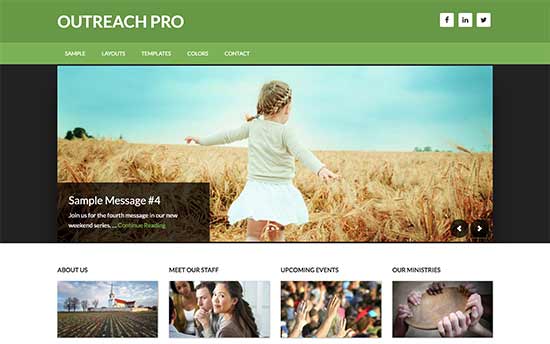
2. Outreach Pro

Outreach Pro

Outreach Pro is beautifully designed WordPress theme for nonprofits, charities, and religious organizations. It is built on top of Genesis framework, which ensures rock solid WordPress speed and performance.

It includes page templates for archives, blog section, and a landing page template. Other features include customizable headers, theme options panel, and multiple widget ready areas to just drag and drop items to your website.

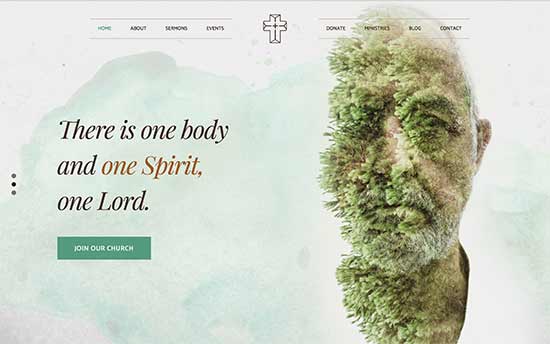
3. Creed

Creed

Creed is a stunningly beautiful WordPress theme for religious, nonprofits, and charities. It is part of a larger theme bundle and includes 23 ready-made websites, integrated page builder, and 1-click demo installer.

It includes donations, event management, photo galleries, unlimited colors, and multiple layout choices. It is super easy to use with a custom theme options panel to walk you through setup process.

4. Charity Foundation

Charity Foundation

Charity Foundation is a WordPress fundraising theme for nonprofits and charities. It comes with built-in system to accept one-time or recurring donations and WooCommerce support to add online store for your charity.

It includes 9 custom post types, 15 custom widgets, multiple layout combinations, and a ready-to-use child theme. It is easy to use and has a custom theme settings page.

5. Hope

Hope

Hope is a super-flexible WordPress theme for NGOs, churches, and charitable foundations. It includes dozens of readymade designs that can be installed with 1-click. All templates can be easily customized with a visual page builder.

It comes with donations, event management, and contact form integrations. It is super easy to setup and optimized for SEO and performance.

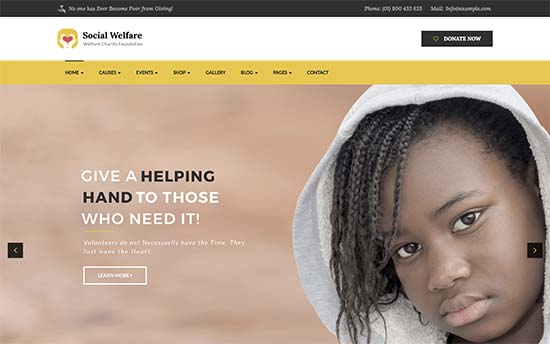
6. Social Welfare

Social Welfare

Social Welfare is a beautiful WordPress theme for fundraising, NGOs, and charities. It includes a modern homepage layout with beautiful CSS animations and parallax background effects.

It ships with a premium slider plugin and a visual page builder. It is easy to setup with 1-click demo installer and a simple theme settings panel.

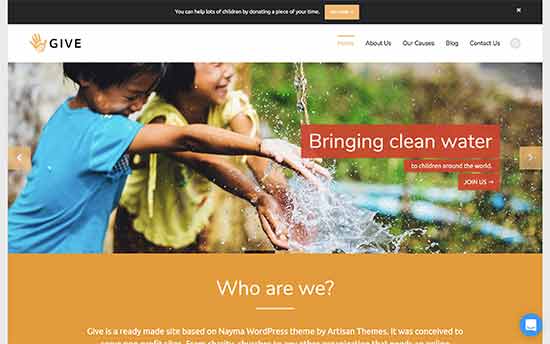
7. Nayma

Nayma

Nayma is a thoughtfully designed multipurpose WordPress theme with several ready-made websites included into one package. It includes 1-click installer to setup your website complete with demo content.

It uses a modular approach to design and comes with several modules that you can just drag and drop to create your own page layouts. It is WooCommerce ready and can also be used to create multilingual websites.

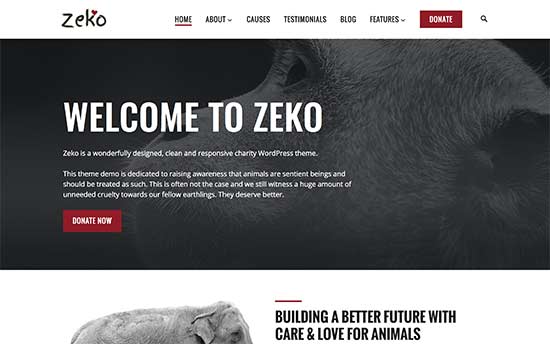
8. Zeko

Zeko

Zeko is a wonderfully designed WordPress theme for charities and nonprofits. It features a clean and professional design with flexible options. All theme options can be easily setup using theme customizer with a live preview of your website.

Notable features include 5 page templates, blog with multi-column grid and flexible sidebars, unlimited colors, WooCommerce, BuddyPress, and bbPress support.

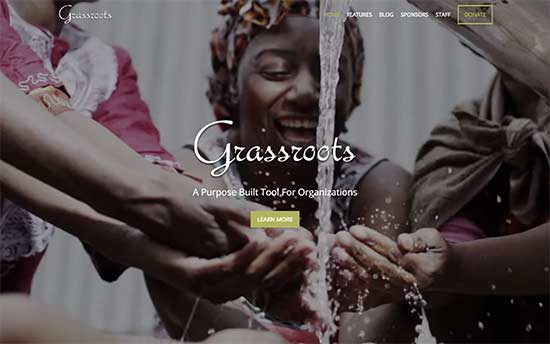
9. Grassroots

Grassroots

Grassroots is another excellent WordPress themes for nonprofits and fundraising websites. It features fullscreen video backgrounds on the homepage allowing you to create highly engaging landing pages.

For fundraising and donations, the theme supports WooCommerce, contact form, and donation plugins. Other notable features include featured content, staff and sponsors sections, custom logo upload, and multiple colors.

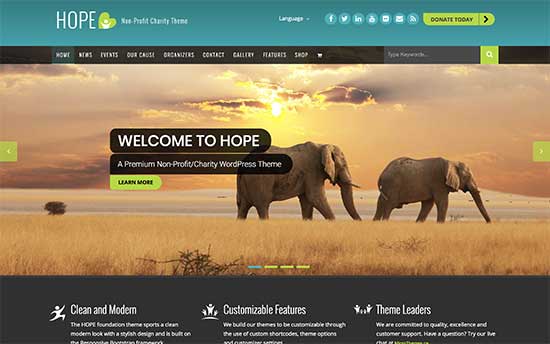
10. Hope

Hope

Hope is another great WordPress theme for nonprofits, fundraisers, and charity websites. It features a modern homepage with a call to action in the header followed by social profiles, navigation menus, and a full width slider.

It includes events and organizers post types, contact form page, shortcodes, and more. You can easily setup and modify theme settings using the live theme customizer.

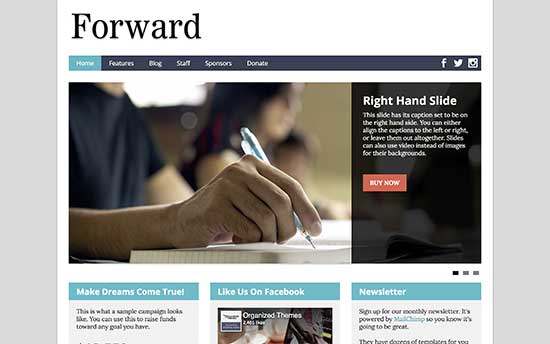
11. Forward

Forward is a simple and elegant WordPress theme designed specifically for nonprofits. It allows you to easily add your own logo, colors, fonts, and more. It includes all the options you’ll need to build an engaging website.

Other notable features include WooCommerce support, email signup form, staff profiles, sponsors, and live theme customizer support. It easy and quick to setup even for absolute beginners.

12. Maisha

 Maisha

Maisha is a clean and modern WordPress nonprofit theme for NGOs, welfare, and charities. It features a modern homepage with multiple slider styles, headers, and layout settings. It also includes 15 page templates, blog section, and powerful options with live theme customizer.

It supports WooCommerce, WPML, and it is fully translation-ready. It ships with Soliloquy which is the best WordPress slider.

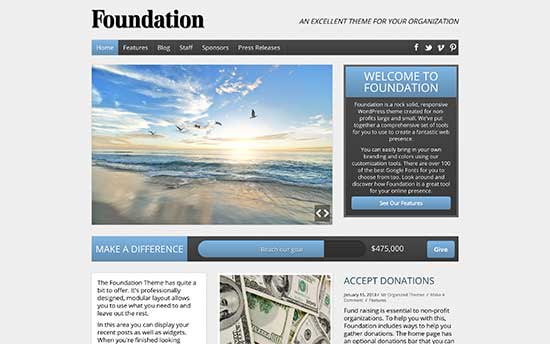
13. Foundation

Foundation

Foundation is another excellent WordPress nonprofit theme. Designed to raise funds and engage audiences, it features a prominent welcome message followed by two call to actions both located above the fold on the homepage.

It includes social media integration, custom logo upload, sponsors section, and easy templates to integrate with your donations form. It offers a simple and quick setup with easy customization options.

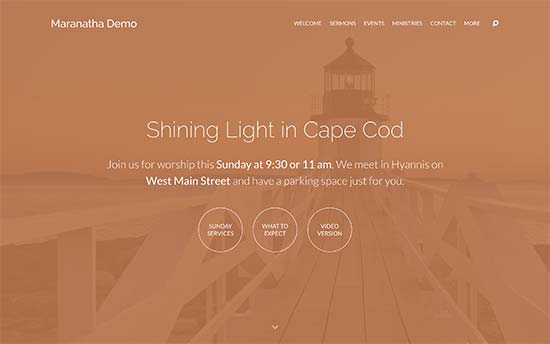
14. Maranatha

Maranatha

Maranatha is a gorgeous WordPress theme for religious, spirtual, and nonprofit organizations. It comes with built-in sermons management area where you can upload audio, video, PDF, and text files. You can also organize your library in series by topics and books.

Its modern homepage displays a full screen image or video header followed by parallax effect as users scroll down the homepage. It also comes with sections for different locations, events calendar, and news or blog page.

15. Benevolent

Benevolent

If you are looking for a free WordPress theme for nonprofits, then take a look at Benevolent. This versatile theme features a modern homepage with beautiful slider, custom menu, and call to action button.

It has four footer area and a right sidebar and includes four custom widgets for the recent posts, popular posts, social media and the featured post. It is also translation ready and optimized for faster page loads.

16. Ultra

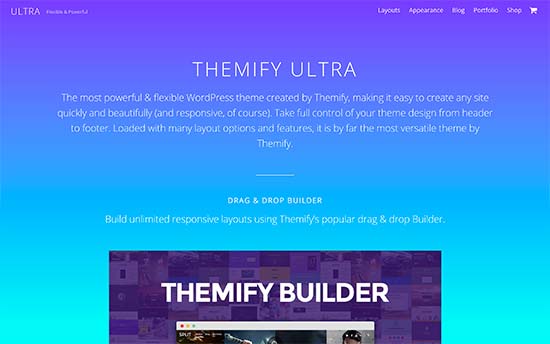
Ultra

Ultra is an all-purpose WordPress mega theme suitable for all kind of websites including nonprofits. It ships with 9 pre-made websites, 1-click demo content installer, and visual page editor to help you create engaging websites in minutes.

It includes animated counters, progress bars, contact form, Google Maps, pricing tables, and more. It is eCommerce ready and beginner friendly.

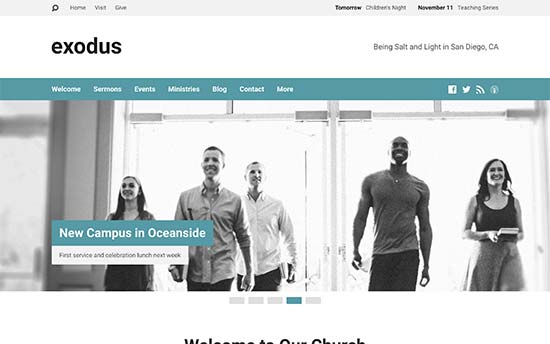
17. Exodus

Exodus

Exodus is a beautiful WordPress theme for religious and spiritual organizations. It features a professional homepage with engaging slider and call to action. It also includes a sermon management section with full multimedia support.

It also has sections to add ministries, staff and volunteer profiles, events, locations, etc. It is designed to be easily used even by non-technical users with simple and flexible customization settings.

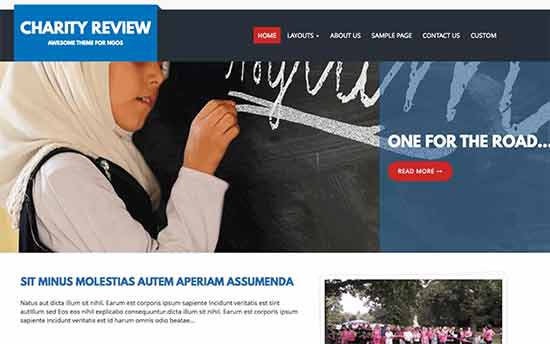
18. Charity Review

Charity Review

Charity Review is another excellent free WordPress nonprofit theme for NGOs, church websites, and charitable organizations. With a professional clean design and flexible options, it offers an engaging user experience out of the box.

Notable features include custom menu, social media integration, call to action block, banner slider, testimonial sections, and more. It has multiple page layouts for different sections. All theme options are neatly organized under live theme customizer, which makes it quite simple to use.

19. Pena

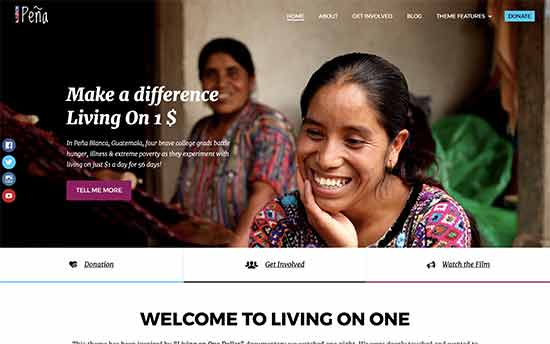
Pena

Pena is a flexible WordPress theme for nonprofit organizations. It is designed to help you raise funds with an visually appealing presentation. It offers multiple slider layouts, header styles, and homepage layout settings to help you create a unique experience for your visitors.

It has 12 page templates, WooCommerce support, donation forms support, email subscriptions, and more. It offers a neat setup process with extensive settings to fine tune each aspect of your website.

20. Saved

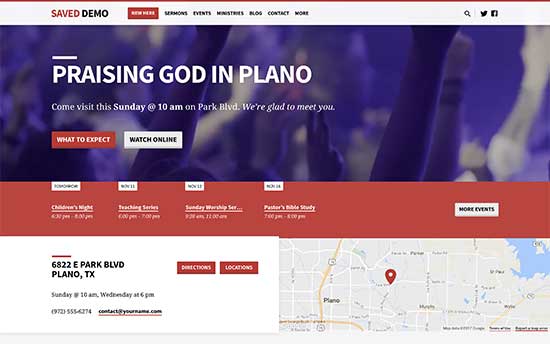
Saves offers a very modern looking WordPress theme for religious and nonprofit organizations. It includes a drag and drop homepage layout, video background, slider, and contact details widget with Google maps.

Church websites can use the Theme’s companion church content plugin, which adds sermons and multimedia library support to your website. It also includes sticky navigation menu, custom colors, custom widgets, typography, and custom logo support.

21. The Core

The Core

The Core is a mega pack of multiple ready-made WordPress themes for all kind of individuals and organizations. Any of these designs can be installed with 1-click including demo content. To make it even more easier, each of these design can be easily edited with the built-in visual page editor.

It offers unlimited design possibilities with countless combinations of header styles, layout types, beautiful animations and scrolling effects. It also comes with a powerful custom theme options page with simple on/off buttons to add or remove features you want to use. It is super easy and helps beginners create professional websites with minimal effort.

We hope this article helped you find the best WordPress theme for nonprofits. You may also want to see our step by step WordPress SEO guide for beginners and a list of must have WordPress plugins.

If you liked this article, then please subscribe to our YouTube Channel for WordPress video tutorials. You can also find us on Twitter and Facebook.

The post 21 Best WordPress Themes for Nonprofit Organizations appeared first on WPBeginner.
Weekly WordPress News: WordPress 4.9 Is Here!

In the biggest news this week, WordPress 4.9 is out and available to the public! Click here to see all the new stuff. Post Status also has an interview with Matt Mullenweg and there are some big WordPress changes over at Envato Elements. And we just published a post on the best WordPress Black Friday ... Read more
The post Weekly WordPress News: WordPress 4.9 Is Here! appeared first on Learn WordPress with WPLift.

Best WordPress Black Friday & Cyber Monday Deals & Coupons (2022)

If you were looking to build a business website, start an online store, or simply improve your existing website, there is no better time than now. With this year’s WordPress Black Friday deals, you can avail your favorite plugins, themes, hosting, and services for a fraction of the cost! Ready to get massive savings on [...]

Read More...

The post Best WordPress Black Friday & Cyber Monday Deals & Coupons (2022) appeared first on Learn WordPress with WPLift.

How To Start A Travel Blog: Beginner’s Guide

So you want to start a travel blog? Congrats! That’s awesome. I’ve been known to dabble in travel blogging and it’s a nice change from writing more technical articles like this one. But if you want to create your own travel blog, you’re going to need your own website…and that might not be as easy ... Read more

The post How To Start A Travel Blog: Beginner’s Guide appeared first on Learn WordPress with WPLift.